
Overview
TreeSize Pro: See where your disk space goes
What is TreeSize Pro?
TreeSize Pro is a professional disk space analyzer and storage management tool for Windows. It helps you see exactly how disk space is used across drives, folders, and files—so you can locate space hogs, plan cleanup, and manage storage with confidence.
Whether you use it on a single PC, a workstation, or across business file servers and network shares, TreeSize Pro gives you detailed visibility into folder and file sizes, large files, duplicate data, and growth over time.
Built for IT administrators, consultants, and power users who need more than a basic folder size view: TreeSize Pro delivers the depth and control required for serious storage analysis and cleanup readiness.

Why Use TreeSize Pro?
Visibility
See folder and file sizes at a glance. No more guessing where space went—drill down from drive to file level with a clear hierarchy.
Speed
Scans run efficiently so you get results while the analysis continues. Optimized for large volumes and network paths.
Reporting
Export storage reports to PDF, Excel, HTML, CSV, and more. Support audit trails and internal documentation without extra tools.
Cleanup Readiness
Identify large files, duplicates, and old data before you delete. Plan cleanup with evidence, not guesswork.
Administrative Convenience
Command-line options, scheduled tasks, and repeatable workflows. Fit TreeSize Pro into your existing processes and scripts.
On-Premise Control
All analysis runs locally. Your data stays on your systems—no cloud uploads, no third-party storage of your scan results.
Key Features
Explore the capabilities that make TreeSize Pro the choice for professional storage analysis and disk space management.
Storage Analysis
Full visibility into folder and file sizes with drill-down analysis and space hog discovery.
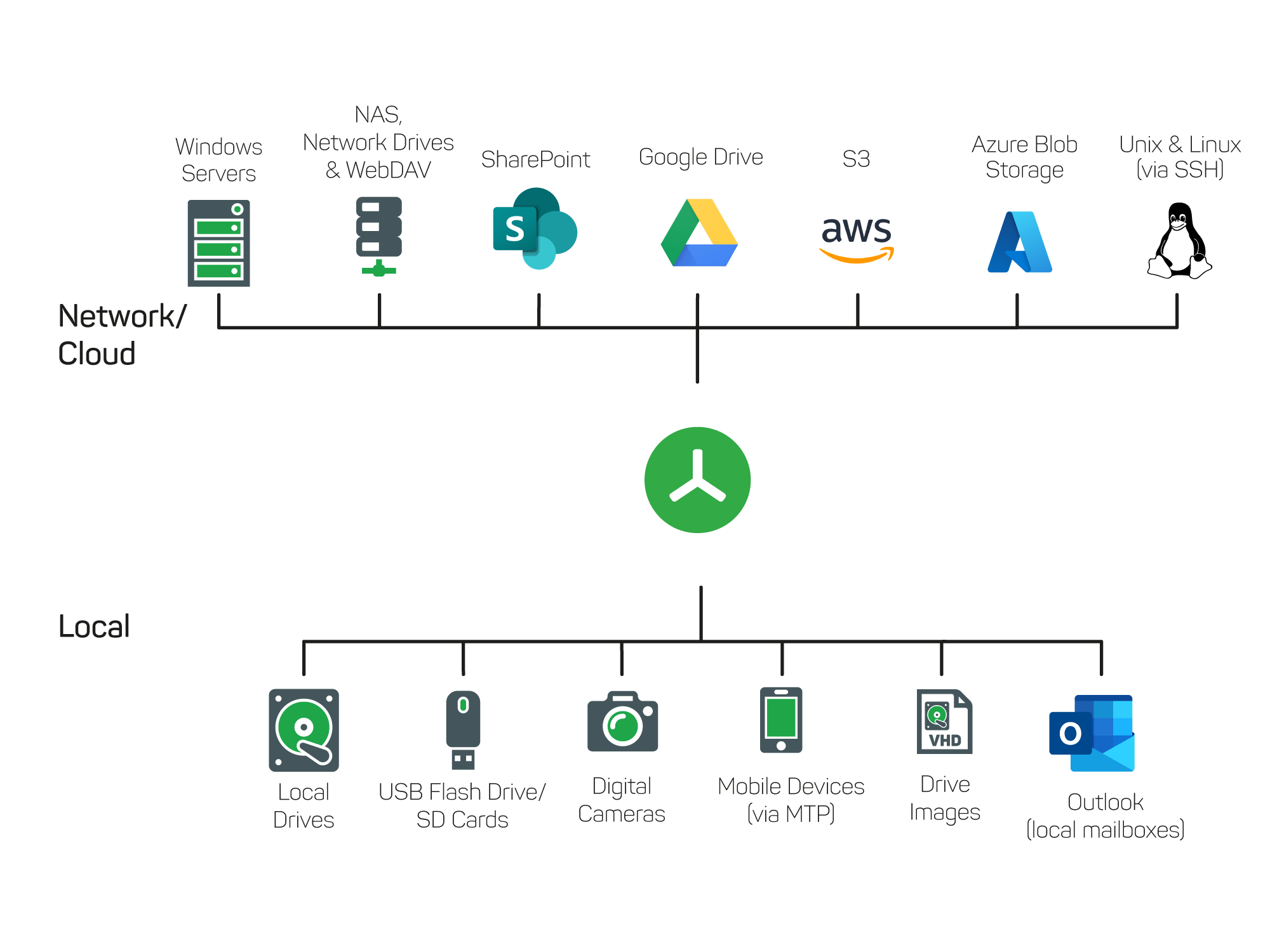
Scan Targets
Choose local drives, folders, or network paths to analyze from one place.
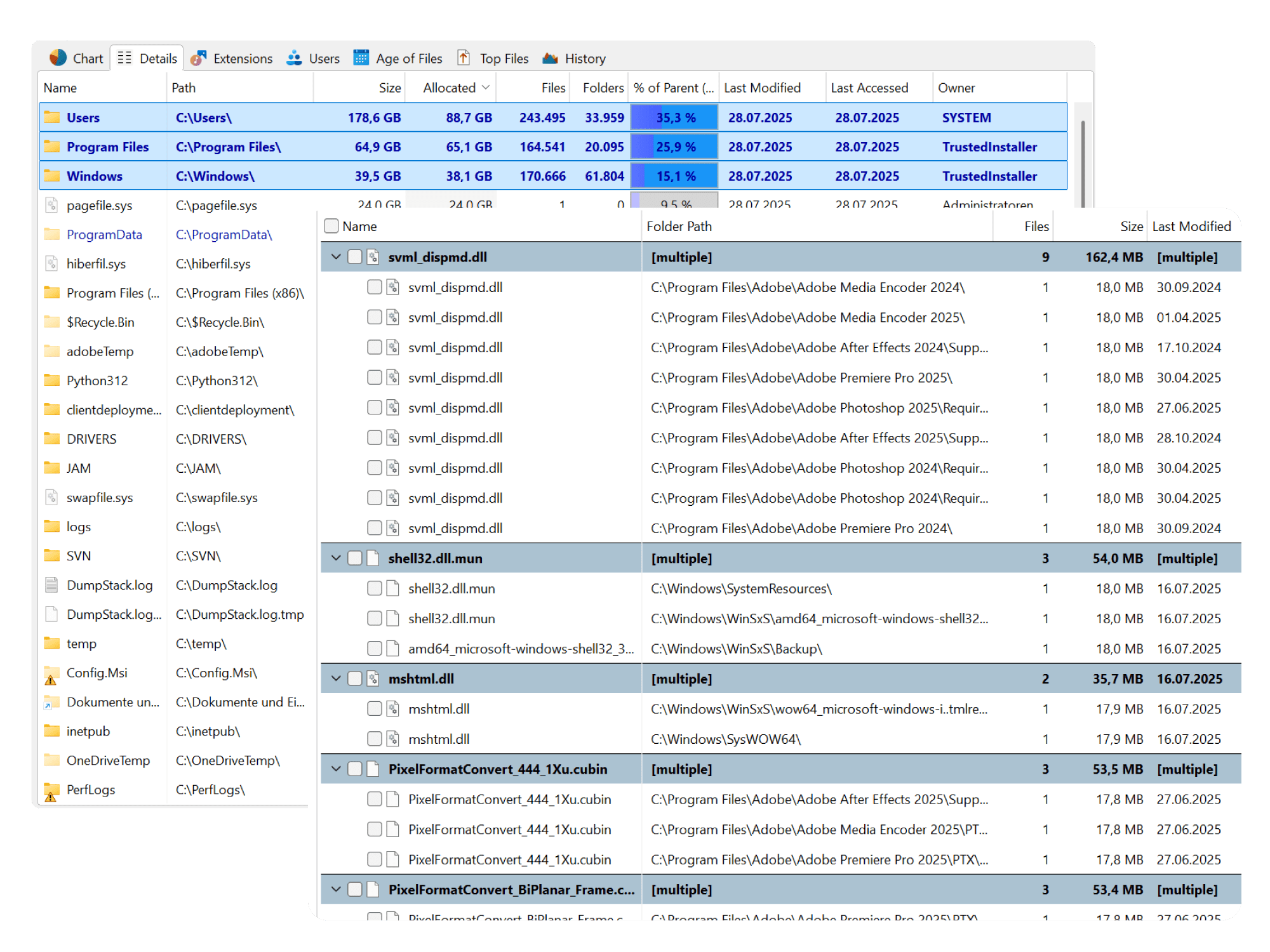
Organize Storage
Find large files and duplicates to plan cleanup and reclaim space.

Storage Reporting
Export to PDF, Excel, HTML, CSV, and XML for audit and sharing.

Columns
Customizable columns to sort and compare size, count, and file attributes.

Tree View
Navigate folder hierarchy and disk usage in an Explorer-like tree.
Real Use Cases
IT admins managing file servers
Monitor disk usage on Windows servers and network shares, run scheduled scans, and produce storage reports for capacity planning and cleanup campaigns.
Power users cleaning large PCs and SSDs
Find large files and folders quickly, visualize usage with treemaps, and free space on workstations and gaming rigs without guessing.
Consultants auditing client storage
Deliver evidence-based storage audits with exported reports, duplicate analysis, and growth comparisons—ideal for client documentation.
Teams reviewing storage growth and reporting
Track where storage grows over time, share reports with stakeholders, and align cleanup and procurement decisions with real data.
Businesses identifying duplicate data and wasted space
Use duplicate file finder and large-file filters to identify redundant and oversized data before archiving or deleting—reducing cost and clutter.
Visual Analysis That Speeds Decisions
Charts, treemaps, and structured folder views turn raw size data into something you can act on. TreeSize Pro helps you spot the largest consumers of space at a glance—whether you prefer a treemap for proportional view, bar charts for ranking, or a classic tree view for drilling down.
.webp)
.webp)
.webp)
.webp)
.webp)
- • Treemap view shows relative size of folders and files at a glance.
- • Bar charts and list views sort by size, count, or other criteria.
- • Explorer-like navigation so you can drill down without losing context.
- • Filter by file type, age, or size to focus on what matters.
How TreeSize Pro Compares
TreeSize Pro sits in the same category as other well-known disk space analyzers and storage tools. Where it stands out is in reporting depth, enterprise readiness, and workflow support. You get rich export options (PDF, Excel, HTML, XML, CSV), automation via command line and scheduled tasks, built-in duplicate file finding, and a focus on professional and IT workflows. If you need more than a one-off treemap—recurring reports, network and server scanning, or audit-friendly outputs—TreeSize Pro is built for that. Comparison is fair: evaluate feature set, performance, and support against your own requirements.
| Capability | TreeSize Pro | Typical disk analyzers |
|---|---|---|
| Detailed disk space analysis | ✓ | Varies |
| Treemap & chart visualization | ✓ | Common |
| Duplicate file finder | ✓ | Not all |
| Export to PDF, Excel, HTML, CSV | ✓ | Limited in many |
| Command line & scheduled tasks | ✓ | Rare in free tools |
| Network / server scanning | ✓ | Varies |
| Storage growth comparison | ✓ | Not all |
Trust and Transparency
TreeSize Pro is built for professional, legitimate storage analysis and cleanup planning. It runs on-premise: your scan data stays on your machines. We do not use the software to collect your files or send storage data to the cloud. The purpose is clear—disk space analysis, storage visibility, reporting, and cleanup insight—so you can manage your storage with transparency and control. For more on how we handle trust, safety, and responsible use, see our Trust & Security page.
On-premise
Analysis runs locally; no cloud dependency.
Data control
Your data never leaves your systems.
Clear purpose
Storage analysis and reporting, not system modification.
Storage Cleanup, Reporting, Duplicate Detection
TreeSize Pro supports the full workflow: analyze disk space, find large files and duplicates, export reports for audits, and plan cleanup with evidence. Built for Windows and for professionals who take storage management seriously.
Get TreeSize ProReady to Take Control of Your Storage?
Download TreeSize Pro and start analyzing disk space, finding large files, and generating reports—on your PC or across your organization.
Download Now